Why You Should Avoid `LIKE %keyword%` in SQL Queries
If you have ever wired a search input directly to a database query, you have probably written something like this:
SELECT * FROM products WHERE name LIKE '%phone%';It returns the correct results, so nothing seems wrong. The problem is that this pattern forces the database to read every row in the table. Your query gets slower as data grows, and the pain usually shows up in production rather than during development.
There is an important distinction to make here: LIKE 'phone%' and LIKE '%phone%' are not the same thing. One is fast, the other is a full table scan in disguise. Once you understand why, the fix becomes obvious.
Why 'phone%' Is Fast
A B-tree index stores values in sorted order. That sorted order is the entire trick. When you ask for rows that start with phone, the database knows those rows sit in one continuous range of the index, so it jumps straight there and scans forward:
SELECT * FROM products WHERE name LIKE 'phone%';Index Scan using products_name_idx on products
Index Cond: ((name)::text ~~ 'phone%'::text)With ten million rows, this still finishes in milliseconds. That is why autocomplete features, SKU lookups, and “filter by prefix” queries all rely on this pattern. It works, and it will keep working at any scale.
One caveat worth knowing in PostgreSQL: if your column uses a non-default collation, the index might not apply to LIKE comparisons. In that case, build the index with an explicit operator class:
CREATE INDEX products_name_pattern_idx
  ON products (name text_pattern_ops);
Why '%phone%' Is Slow
Now look at what happens when the wildcard moves to the front:
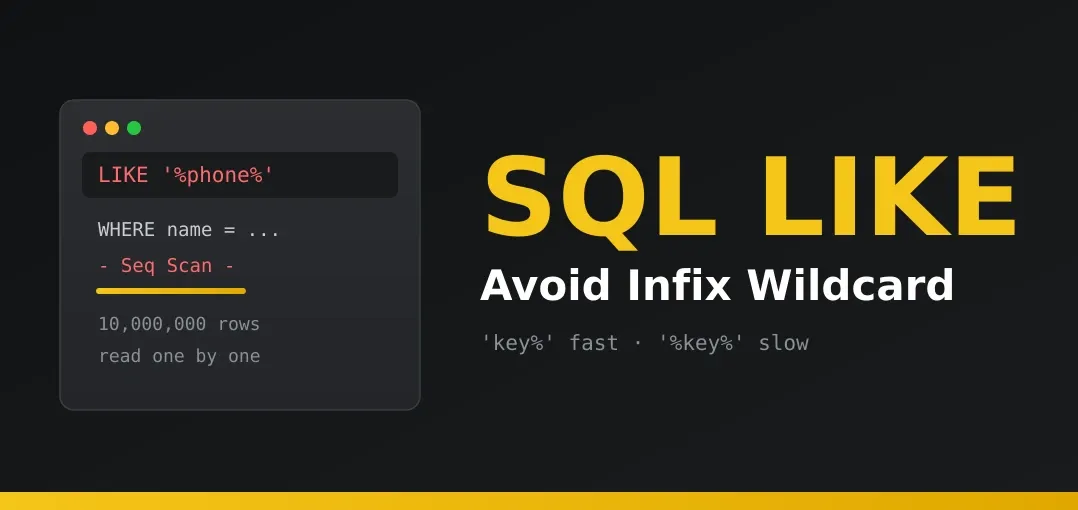
SELECT * FROM products WHERE name LIKE '%phone%';The substring can match anywhere in the value, which means there is no position in the index the database can jump to. Sorted order tells it nothing useful here. The only correct answer is to check every single row:
Seq Scan on products
  Filter: ((name)::text ~~ '%phone%'::text)
This is a sequential scan, and it scales the wrong way. On a thousand rows, you will never notice. On ten million rows, each query reads the entire table from disk. Under concurrent load, this is how one search feature takes down a whole database.
This also explains why adding a regular index on the column does not help. People often assume that any index will speed up any query. But a B-tree index physically cannot answer the question “does this value contain phone in the middle?” The query planner knows that, so it ignores the index entirely.
Solution 1: Trigram Index
PostgreSQL ships with a purpose-built answer for this problem: the pg_trgm extension combined with a GIN index.
CREATE EXTENSION IF NOT EXISTS pg_trgm;

CREATE INDEX products_name_trgm_idx
  ON products USING gin (name gin_trgm_ops);
Once this index exists, both of these queries use it:
SELECT * FROM products WHERE name LIKE '%phone%';
SELECT * FROM products WHERE name ILIKE '%phone%';
The trick is that trigram indexes break text into overlapping three-character sequences and index those. A search for phone only needs to look at rows containing the trigrams pho, hon, or one. That is a much smaller slice of the table compared to reading every row.
A few things to know before adopting this:
- The index takes up significantly more disk space than a B-tree index. On write-heavy tables, you will also see some slowdown on inserts and updates.
- Search terms with fewer than three characters produce too few trigrams for the index to help much. Many teams solve this by requiring a minimum of three characters in the search box.
- If the pattern contains no extractable trigrams at all, the query falls back to a full-index scan, which is not much better than a sequential scan.
For most PostgreSQL applications, this is the right answer. It solves substring search without introducing any new infrastructure.
Solution 2: Full-Text Search
Ask yourself what the search box is really trying to do. If users are searching for words rather than arbitrary character sequences, full-text search is a better fit.
PostgreSQL:
ALTER TABLE articles ADD COLUMN tsv tsvector
  GENERATED ALWAYS AS (to_tsvector('english', title || ' ' || body)) STORED;

CREATE INDEX articles_tsv_idx ON articles USING gin (tsv);

SELECT * FROM articles
WHERE tsv @@ to_tsquery('english', 'search & performance');
MySQL:
ALTER TABLE articles ADD FULLTEXT INDEX articles_ft (title, body);

SELECT * FROM articles
WHERE MATCH(title, body) AGAINST('search performance' IN NATURAL LANGUAGE MODE);
Full-text search gives you features that plain LIKE cannot: stemming (so “running” matches “run”), automatic stop word removal, and relevance ranking out of the box.
The trade-off is strictness. Full-text search matches whole words, not substrings. Searching for port will not match important. If your users expect Google-style substring matching, they will be disappointed.
One MySQL detail that catches people off guard: the default full-text parser splits on whitespace, which makes it useless for languages without spaces between words, like Chinese, Japanese, and Korean. MySQL ships an ngram parser specifically for this:
CREATE FULLTEXT INDEX articles_ft ON articles (title, body)
  WITH PARSER ngram;
Solution 3: Dedicated Search Engine
When search is a core part of your product, the database stops being the right tool. A relational database can be tuned with indexes, but it will never feel as fast or as smart as a search engine built for that one job.
The usual choices are Meilisearch, Typesense, and Elasticsearch (or OpenSearch). These engines understand relevance, typo tolerance, faceting, and prefix matching in ways a database never will.
The architecture is straightforward: your relational database remains the source of truth, and data flows into the search engine through change data capture, an outbox pattern, or a simple background job if your volume is modest.
This adds operational complexity, but it is the only approach where search latency stays predictable as your data grows into the hundreds of millions of rows.
Solution 4: Reverse Column Trick
A clever workaround that predates trigram indexes: store the reversed string in a separate indexed column, and a suffix search becomes a prefix search.
ALTER TABLE products ADD COLUMN name_rev text;
UPDATE products SET name_rev = reverse(name);
CREATE INDEX products_name_rev_idx ON products (name_rev);

-- '%phone' becomes the prefix 'enohp%'
SELECT * FROM products
WHERE name_rev LIKE reverse(:term) || '%';
This works, and it was a common technique before pg_trgm became widely adopted. These days it is mostly a historical curiosity. You would only consider it if you are stuck on a database without trigram support and cannot add a search engine. Even then, weigh the maintenance cost of the extra column and trigger against simply changing the feature.
Solution 5: Rethink the Feature
Before reaching for heavier machinery, question what the feature actually needs. Most search boxes do not need true “contains anywhere” semantics. They need prefix matching applied to the last word the user typed.
A live search that updates as the user types looks like this:
SELECT * FROM products
WHERE name ILIKE :term || '%'
   OR name ILIKE '% ' || :term || '%'
ORDER BY name
LIMIT 20;
The first clause matches from the start of the string, the second matches from the start of any word inside it. Combined with debounced input and a minimum character length, this covers what users actually type without the cost of a full substring scan.
Another common mistake: searching across too many columns. Running LIKE '%x%' against fifteen different text columns is a performance bug waiting to happen. Pick one or two indexed columns, or build a dedicated search column:
ALTER TABLE products ADD COLUMN search_text text
  GENERATED ALWAYS AS (lower(name || ' ' || sku || ' ' || brand)) STORED;

CREATE INDEX products_search_trgm_idx
  ON products USING gin (search_text gin_trgm_ops);
One column, one index, predictable performance.
Bonus: Escape Wildcards in User Input
% and _ are special characters in LIKE patterns. If a user types 100% and you interpolate it directly into a pattern, you are no longer searching for the literal string 100%. You are searching for “100 followed by anything.”
-- PostgreSQL: use ESCAPE to define a custom escape character
SELECT * FROM products
WHERE name LIKE '%' || replace(replace(term, '%', '\%'), '_', '\_') || '%' ESCAPE '\';
Parameterized queries prevent SQL injection, but they do not prevent wildcard injection. This is a separate problem, and most developers only discover it after a bug report. Check whether your query builder escapes wildcards automatically, and if it does not, handle it yourself.
Summary
LIKE 'prefix%'on an indexed column is fast. Keep using it.LIKE '%infix%'forces a sequential scan. On large tables, this is a problem.- For PostgreSQL, a
pg_trgmGIN index is the standard fix for substring search. - For word-level search with ranking, full-text search is a better fit.
- When search is core to the product, use a dedicated search engine.
The pattern itself is not evil. It is a scaling problem, and scaling problems are invisible until they are not. If you cannot say how many rows your search query runs against, that is the first thing to find out.
References
- PostgreSQL Documentation: Pattern Matching
- PostgreSQL Documentation: pg_trgm — Text Search Matching
- PostgreSQL Documentation: Full Text Search
- MySQL Documentation: Full-Text Search Functions
- MySQL Documentation: ngram Full-Text Parser
- Use The Index, Luke: Indexing SQL LIKE Filters
- Meilisearch Documentation
- Typesense Documentation